iOS - 1.244.0
(20.07.2026)
Table of contents
- Filter your device list to quickly see only devices that need your attention.
- Search lock activities by user or PIN alias.
- Filter lock activity logs by activity type (e.g. locked, unlocked, battery alerts, and more).
- Filter lock activity logs to show only activities before a selected date.
- Review all active activity log filters at a glance and clear them with a single tap.
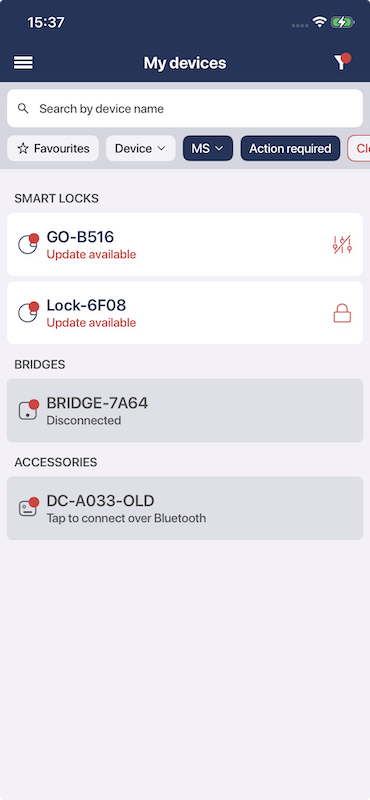
Filter your device list to quickly see only devices that need your attention.
You can now filter your device list to show only devices that have a red dot indicator — meaning they require your attention. This includes devices that are uncalibrated, have a pending firmware update, a low battery level, or any other state that needs to be addressed. This filter makes it much easier to quickly identify and take action on devices that need care, especially when you have a large number of devices on your account.
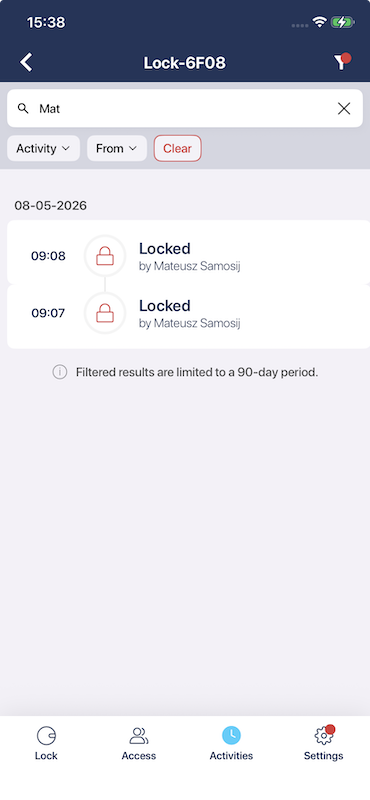
Search lock activities by user or PIN alias.
The lock activity log now includes a search feature that allows you to find activities performed by a specific user or using a specific PIN. Simply type a user name or a PIN alias into the search field and the list will be filtered to show only matching entries. This is especially useful for administrators managing shared devices with multiple users or PIN codes.
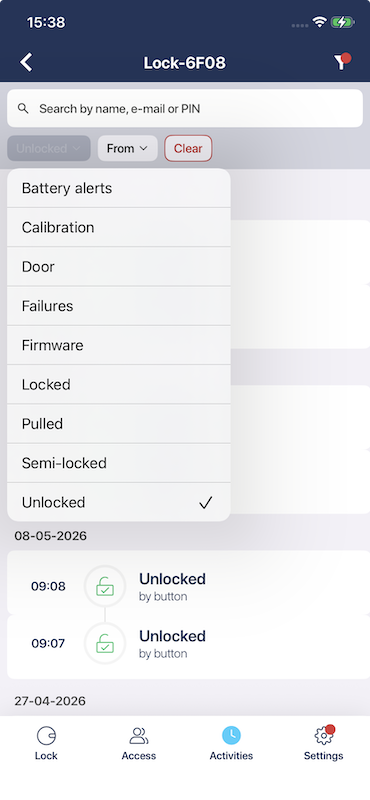
Filter lock activity logs by activity type (e.g. locked, unlocked, battery alerts, and more).
You can now filter the lock activity log by one or more activity types. The following types are available to filter by:
- Battery alerts
- Calibration
- Door
- Failures
- Firmware
- Locked
- Pulled
- Semi-locked
- Unlocked
This multi-select filter allows you to narrow down the activity log to only the events that are relevant to you, making it easier to audit specific types of interactions with your lock.
Filter lock activity logs to show only activities before a selected date.
A new date filter is available in the lock activity log that allows you to show only activities that occurred before a selected date. This is useful when you want to review historical events or investigate something that happened in the past, without scrolling through all recent activity.
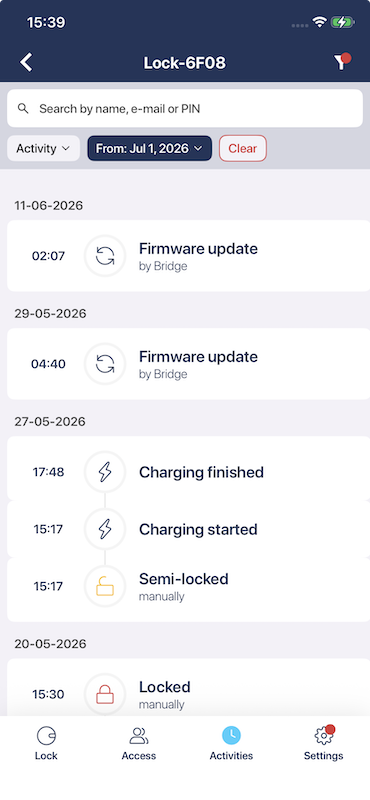
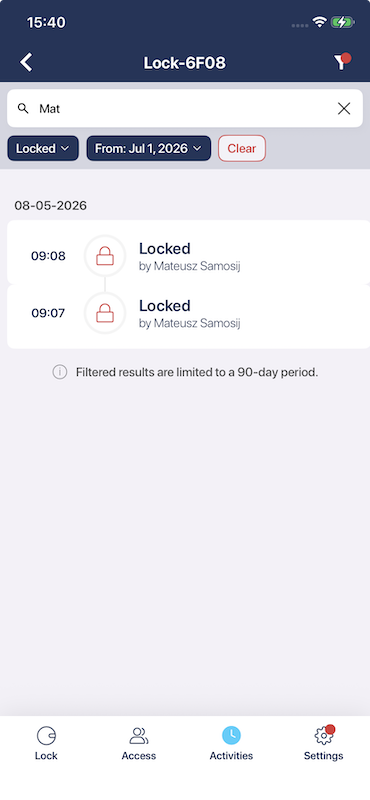
Review all active activity log filters at a glance and clear them with a single tap.
When filters are applied to the lock activity log, the filters view clearly shows which filters are currently active. A dedicated clear button is available to remove all active filters at once, making it easy to reset the view and start a new search.