Android - 1.240.0
(21.04.2026)
Table of contents
Manage fingerprints from all accessories paired with the lock in one unified list, directly from the lock access tab.
You can now manage fingerprints directly from the lock’s access tab — no need to navigate to individual accessory settings pages. All fingerprints from every fingerprint-capable accessory paired with your lock are presented in a single, unified list, making it easier to add, edit, and remove fingerprints in one place. 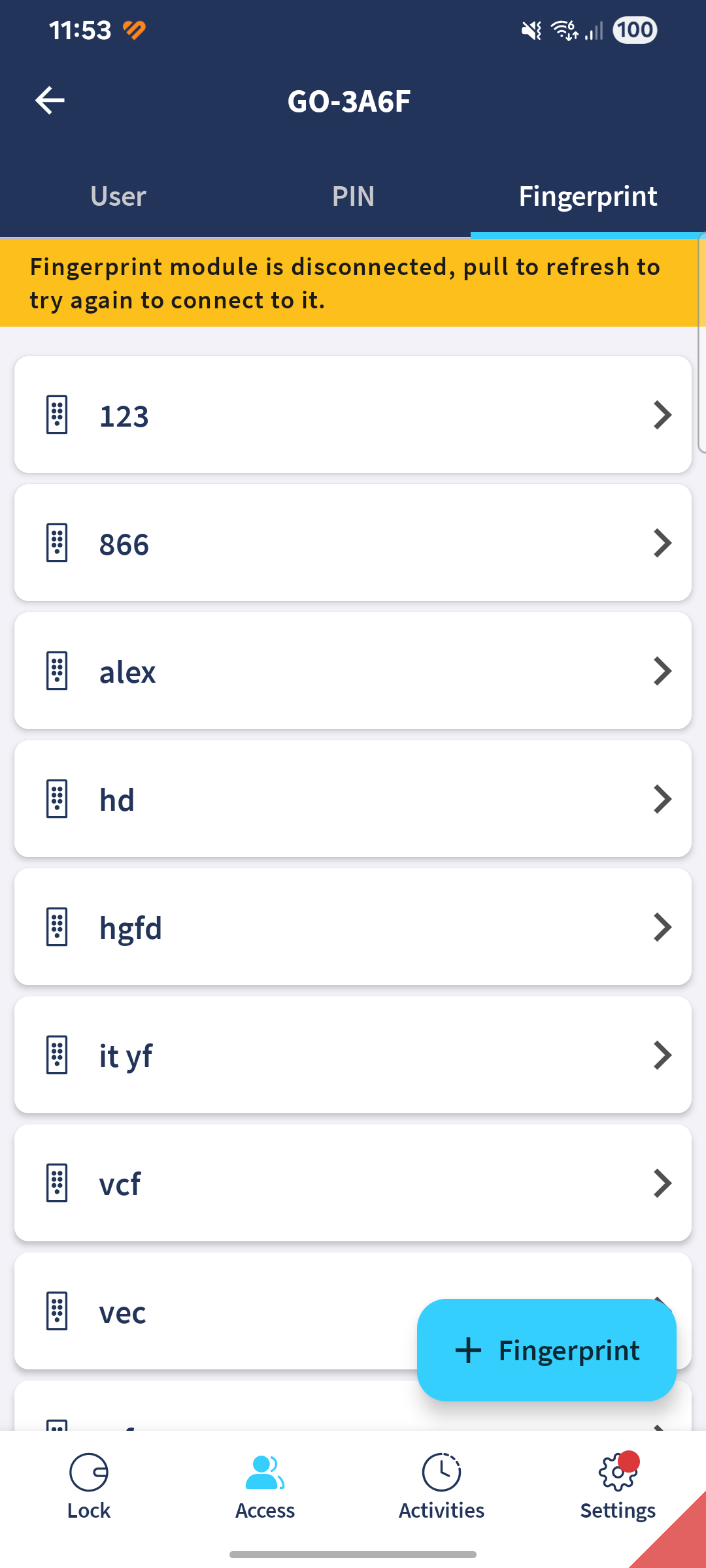
Warning shown during lock firmware updates
The firmware update screen now displays an informational message reminding you not to move the lock while an update is in progress. Moving the lock during a firmware update can cause it to lose its calibration. This applies to all supported lock types.
Fixes
Fixed an issue where tapping email addresses or phone numbers in in-app web pages did not open your mail or phone app correctly.