Portal - 1.235.0
(07.01.2026)
Features
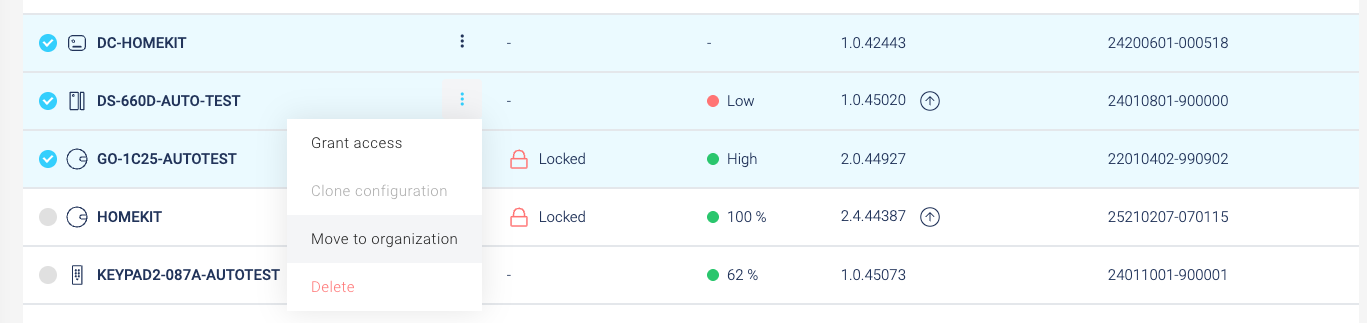
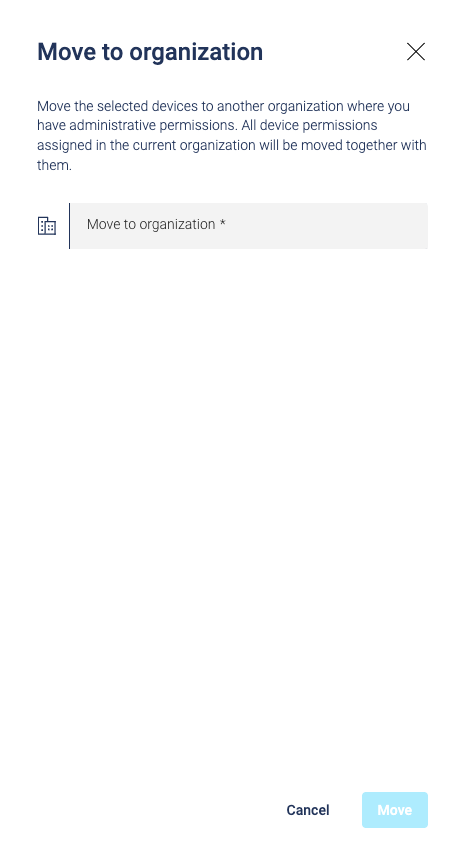
- Move devices between organizations: Organization admins can now transfer multiple devices to another organization where they hold owner or admin rights. To ensure security and consistency:
- Devices are moved alongside all paired components.
- Equivalent access levels are automatically established in the destination organization.
- Required users or user groups are created in the destination if they don’t already exist.
- Existing access links are cleaned up before the transfer is completed.
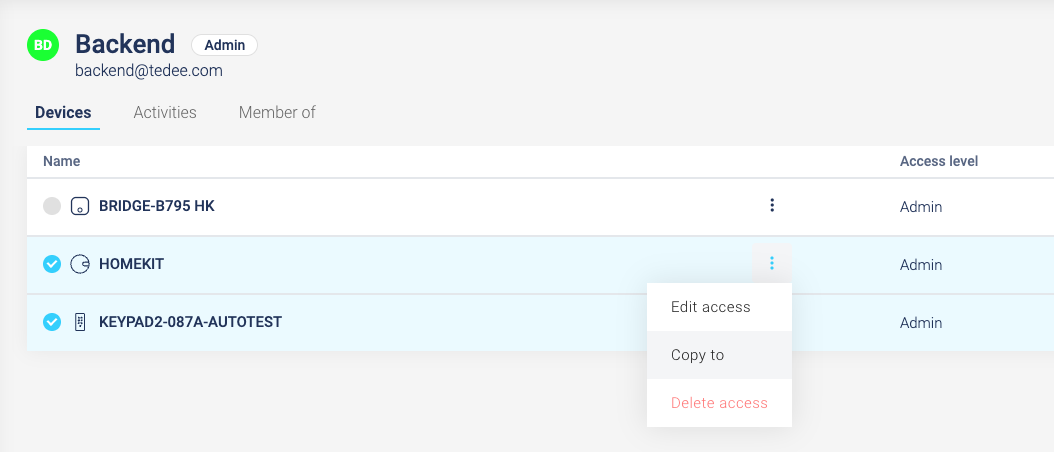
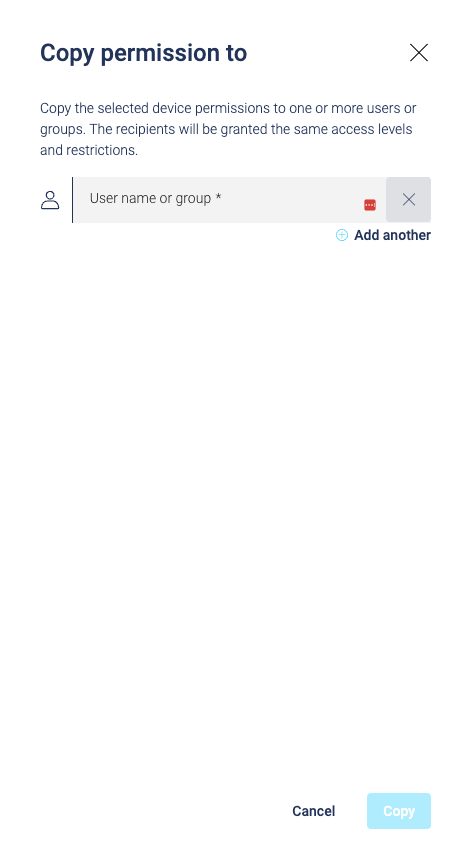
- Bulk copy permissions: Streamline access management by copying sets of permissions from one user or group to multiple recipients.
- Admins can select multiple permissions and use the “Copy To” interface to choose target users or groups.
- Selected permissions will overwrite existing ones for the recipients upon confirmation.
- The UI provides clear feedback on successful updates or specifically skipped users/groups.
Fixes
- Optimized the sign-in handling process to reduce potential errors and improve connection stability.