iOS - 1.235.0
(05.01.2026)
Table of contents
- The settings page of a disconnected device has a common design across all device types
- Issue where a user was able to pair accessories with a lock when the two devices had different owners
- Issue with incorrect labels for start and end times in the daily hours section on the access details page
- Issue with the incorrect time picker used for daily hours in the access details page
The settings page of a disconnected device has a common design across all device types
We’ve introduced a consistent design for the settings page across all device types when they are in a disconnected state. This update ensures that key information—such as connection status, battery level, lock position, and door status—is displayed in a uniform and intuitive way, regardless of the device you own. By standardizing these elements, we’ve made it easier for you to quickly understand the status of your devices and manage them seamlessly, even when they’re offline. 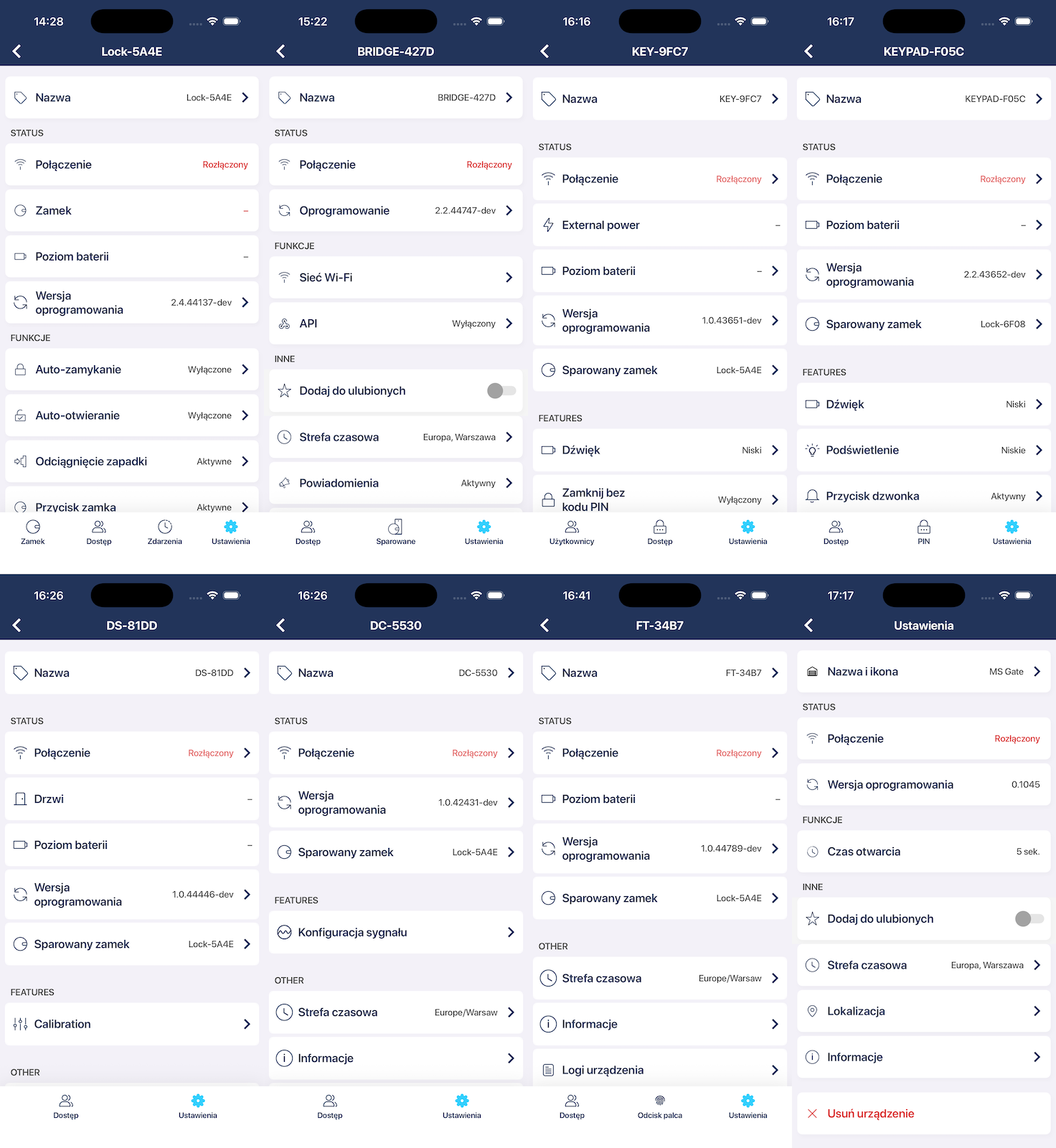
Issue where a user was able to pair accessories with a lock when the two devices had different owners
We’ve resolved an issue that allowed users to attempt pairing a lock with an accessory when they were the owner of one device and only had admin access to the other. This could create a situation where the devices appeared paired but were not properly recognized as such, leading to inconsistent behavior. With this update, pairing is now more secure and reliable: both devices must be owned by the same user in order to pair successfully. This ensures proper authorization and prevents any unintended pairing attempts.
Issue with incorrect labels for start and end times in the daily hours section on the access details page
We’ve fixed an issue in the access details page where the labels for selecting daily access hours were misleading. Previously, the fields were labeled “Start date” and “End date,” which could cause confusion since these settings define time ranges within a single day. To make this clearer, we’ve updated the labels to “From” and “To.” This change ensures that when you create or edit access permissions, it’s easy to understand the exact daily time window during which the user can access the device.
Issue with the incorrect time picker used for daily hours in the access details page
We’ve corrected an issue in the access details page where the time picker used for setting daily access hours displayed both time and date. Since these settings only apply to hours within a single day, showing the date was unnecessary and could cause confusion. With this update, the time picker now correctly displays only the time, making it easier and more intuitive to set the “From” and “To” hours for daily access.