iOS - 1.233.0
(18.11.2025)
Table of contents
- A red dot appears whenever a new preview feature becomes available for preview testers
- After using a preview feature three times, preview testers will be asked to provide feedback
- A red dot appears when a new feature becomes available in the app
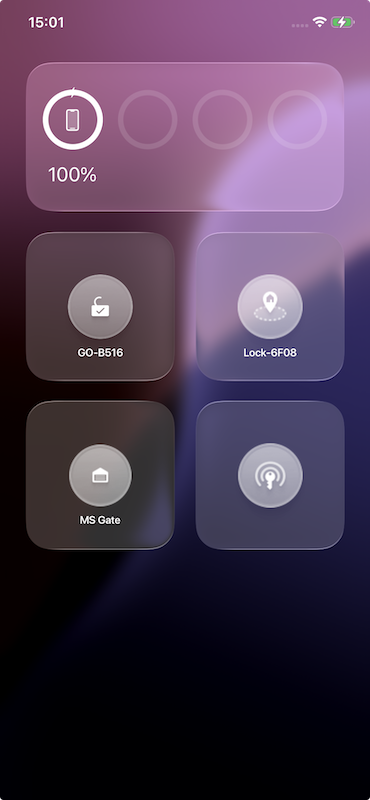
- Fixed an issue with widgets, when using clear or tinted icons on iPhone
A red dot appears whenever a new preview feature becomes available for preview testers
We’ve introduced a convenient way to keep our preview testers informed about the latest experimental features. Whenever a new preview feature becomes available, a red dot indicator will appear in your navigation flow: Menu → Profile → Preview Tester When you open the Preview Tester page, the red dot will remain visible next to any newly added preview feature, so you can easily identify what’s new. After you leave the Preview Tester page, the red dot will disappear—confirming you’ve seen the latest additions.
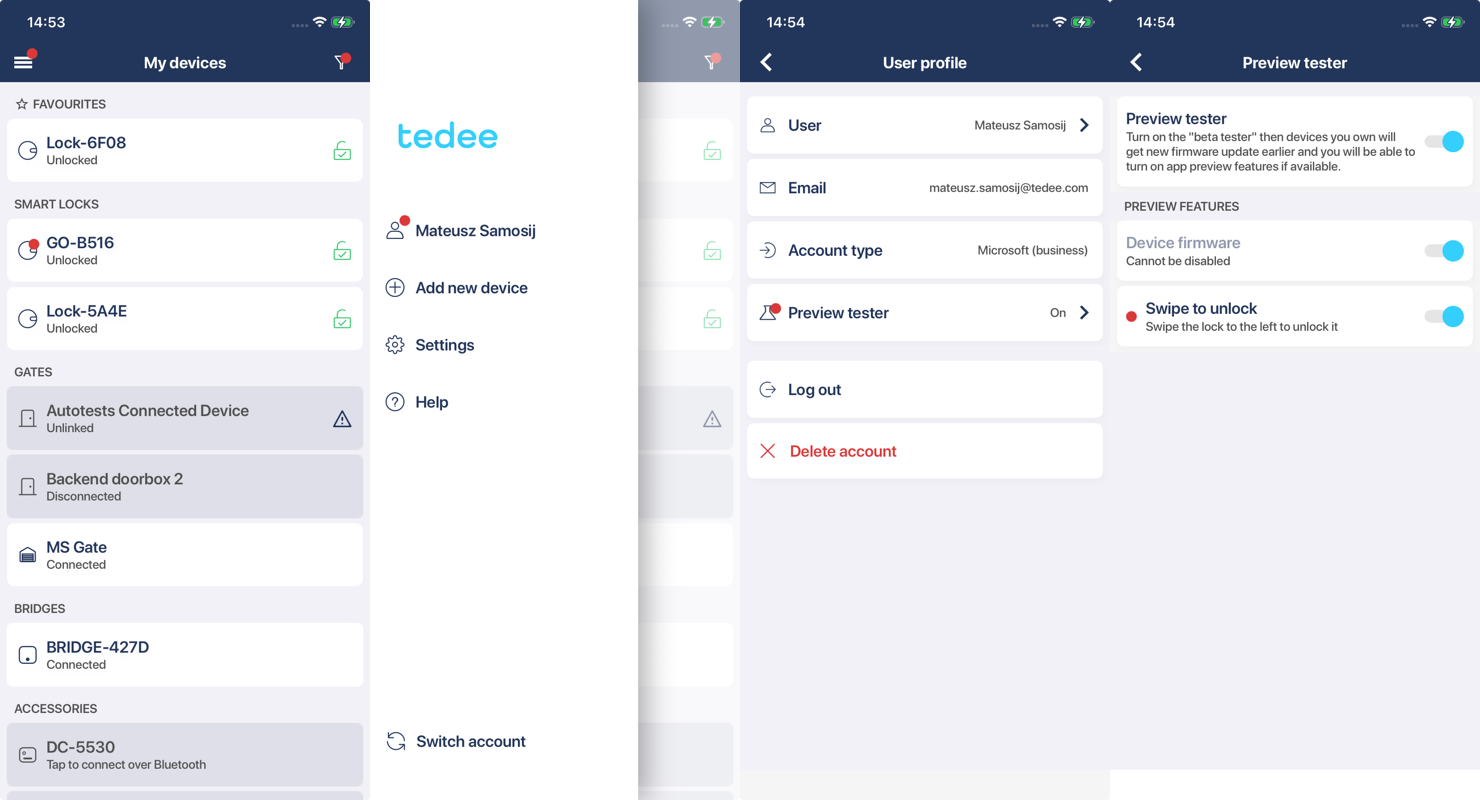
Stay ahead by exploring these features early and sharing your feedback to help us shape the future of the tedee app!
After using a preview feature three times, preview testers will be asked to provide feedback
We’ve introduced a smarter way to gather your insights on experimental features. After you interact with any preview feature three times, you’ll see a feedback pop-up designed to capture your experience.
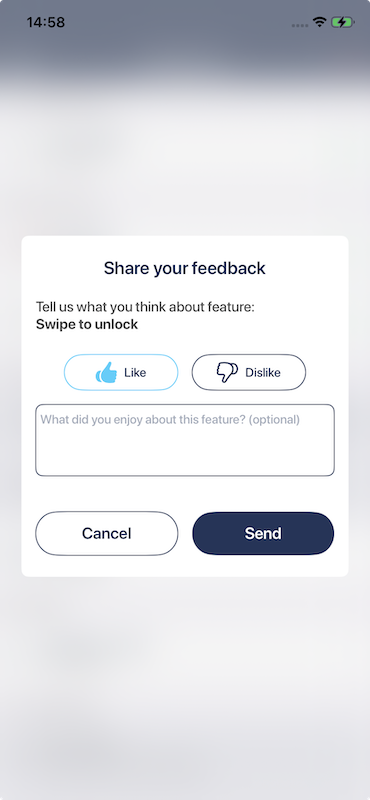
The pop-up allows you to:
- Rate the feature with a simple Like or Dislike.
- Share quick feedback in a short text field to help us improve.
This prompt appears only after the third interaction with each preview feature, ensuring feedback is based on real usage rather than first impressions.
Why this matters:
- Better Feedback Quality: We ask for input after you’ve had time to explore the feature.
- Simple & Fast: One tap to rate, plus an optional comment.
- Shape the Future: Your feedback directly influences how we refine and prioritize upcoming features.
Your opinion matters—help us make the app even better!
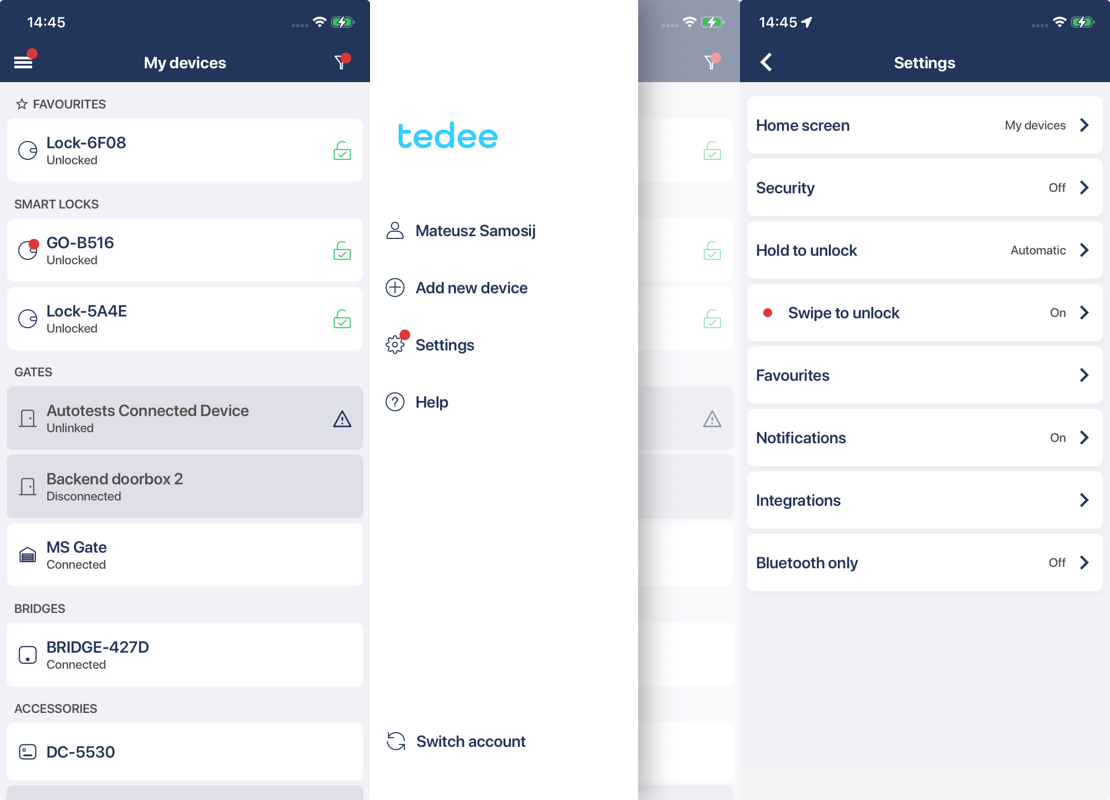
A red dot appears when a new feature becomes available in the app
Discover new functionality effortlessly with our red dot indicator. Whenever a new feature becomes available in the app, a red dot will appear along the navigation path leading to that feature. This ensures you know exactly where to go to explore what’s new. For example, if the feature is located under: Menu → Settings → Swipe to unlock → Swipe to unlock settings
Fixed an issue with widgets, when using clear or tinted icons on iPhone
We’ve resolved a problem that affected widgets when using clear or tinted icons on iPhone. Previously, widgets were displayed incorrectly, making it difficult to identify their functionality. With this fix, widgets now render properly, ensuring that each widget is clearly visible and easy to understand—regardless of your chosen icon style.