iOS - 1.226.0
(13.08.2025)
Table of contents
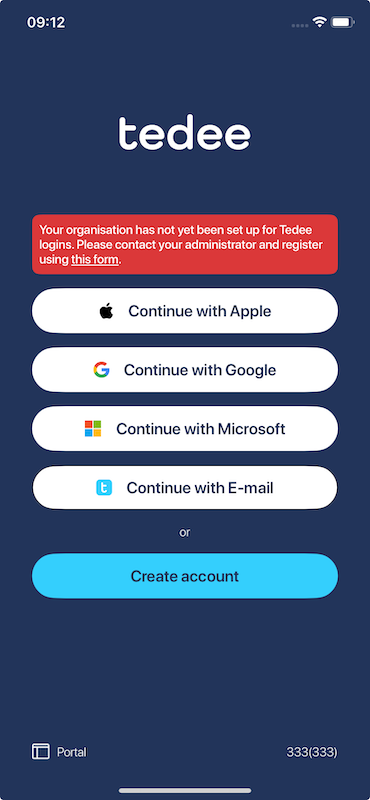
Added meaningful information when user attempts to log in with an unsupported Microsoft work account
When a user tries to log in with a Microsoft work account from an organization that has not yet been set up for Tedee logins, they will now see a clear message explaining the situation. The message includes a link to a request form that allows the organization to enable Microsoft work account logins. The form is available here
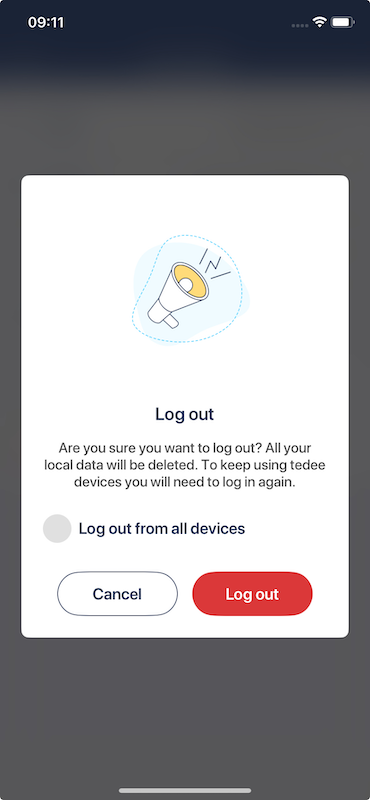
Added an option to log out from all user devices
We’ve added the ability to log out from all user devices. This option is available on the profile page after clicking the “Log out” button. An alert will appear with the option to log out from all devices.
Fixed an issue where the lock state was not updating on the “My devices” page for locks connected via BLE
We’ve fixed an issue where the lock state was not updating correctly on the “My Devices” page for locks connected via Bluetooth (BLE). This ensures accurate status updates for affected devices.