Android - 1.219.0
(24.04.2025)
Table of contents
Improved navigation during the lock accessory pairing process
We improved navigation in the lock accessory pairing process. Now, after successful pairing, the user will be redirected directly to accessory settings instead of the lock accessory paired screen.
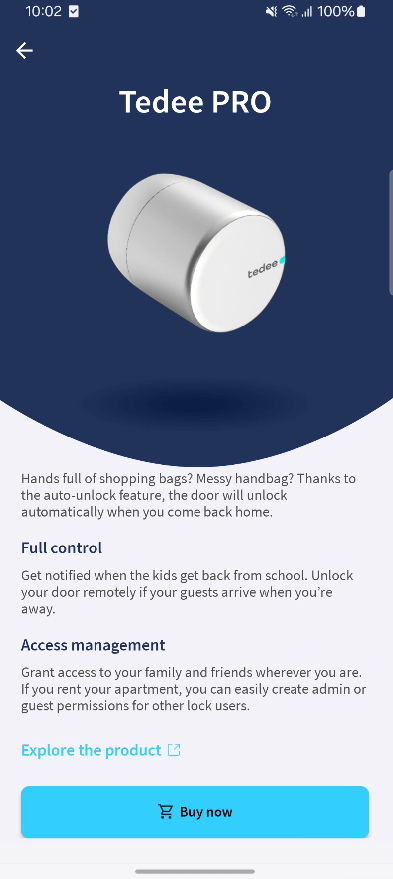
Enhanced the user experience on the “Add New Device” page
The “Add New Device” page received a small redesign. When the device description is expanded, the new buy button at the bottom of the screen appears and the previous buy button, under the device image, hides. Besides swipe up and down gestures, users can also just tap on the device image.
Improved layout and logout behavior on the PIN page
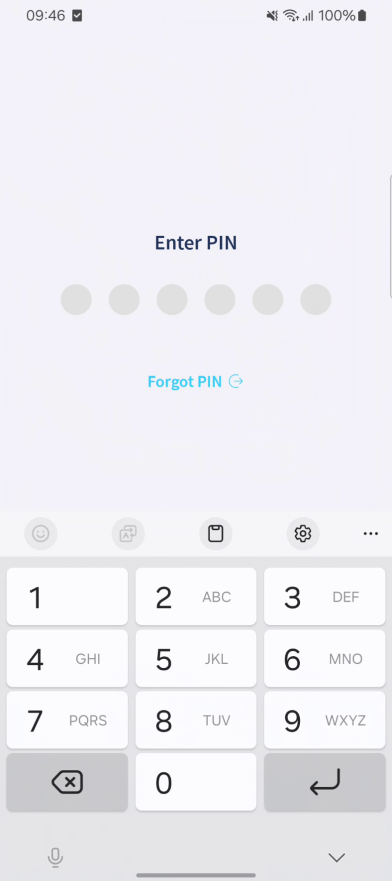
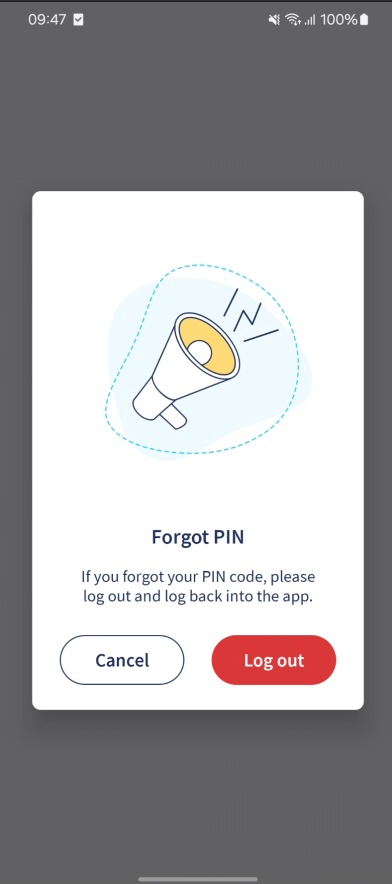
We made changes to the PIN page to prevent users from logging out by mistake. Now, logging out is a more intentional action — users will need to confirm it before the app logs them out. We also changed how the logout option is shown, so it’s not as easy to tap by accident.
“Learn more” links now lead to “Add New Device” page instead of the store
Tapping on a “Learn more” link - now takes users to the “Add New Device” page instead of the website.
Minor crash fixes and general stability improvements
We fixed a few small issues that could cause the app to crash in rare situations. These updates make the app more stable and reliable overall.