Release Notes
Table of contents
- Android - 1.238.0
- iOS - 1.238.0
- Owners can now transfer device ownership to another user.
- Fixed an issue that could delay sending requests under poor network conditions.
- Fixed an issue where the lock accessory’s last known battery level was not displayed.
- Fixed a rare issue that prevented users from starting Matter commissioning.
- Fixed an issue where a cached battery level could block firmware updates.
- Fixed an issue with handling timeouts during remote lock operations.
- Lock - 2.4.46129
- Lock GO - 2.0.45520
- Bridge - 2.2.45522
- Keypad - 2.2.38360
- Keypad PRO - 1.0.46438
- Dry contact - 1.0.40562
- Portal - 1.238.0
- Door sensor - 1.0.45281
Owners can now transfer device ownership to another user.
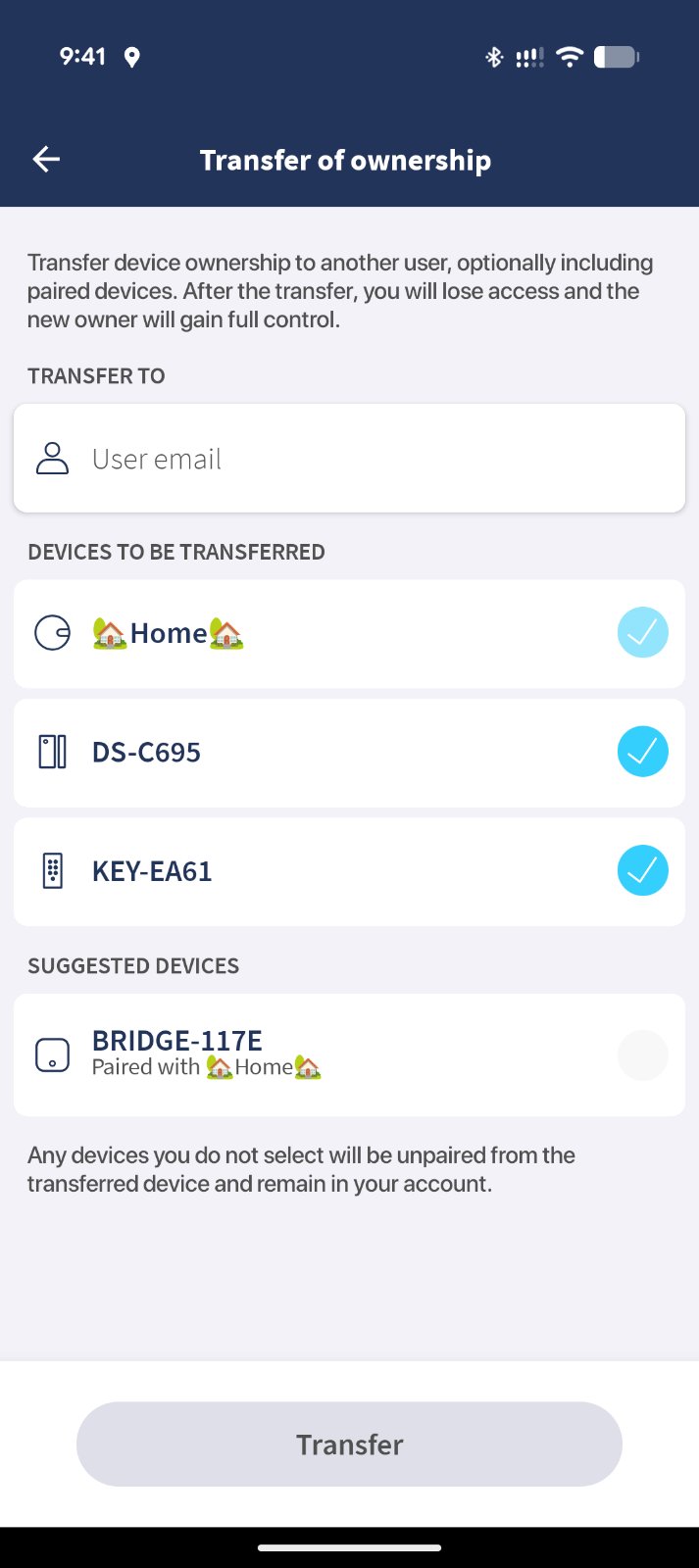
With this release, device owners can transfer ownership of their devices directly in the Tedee app. This feature is designed for situations like selling, gifting, or changing responsibility, and streamlines the handover process.
To make the transfer, the owner simply enters the email address of the new user. The app will also display a list of devices paired with the one being transferred and suggest them for inclusion. The owner can decide which paired devices will be moved along with the main device; devices that are not selected will be automatically unpaired and will remain on the original account.
After completing the transfer, all previous shared access to the device is removed, and the new owner receives exclusive control and management rights. This ensures both device security and a clean handover, without the need for support assistance.
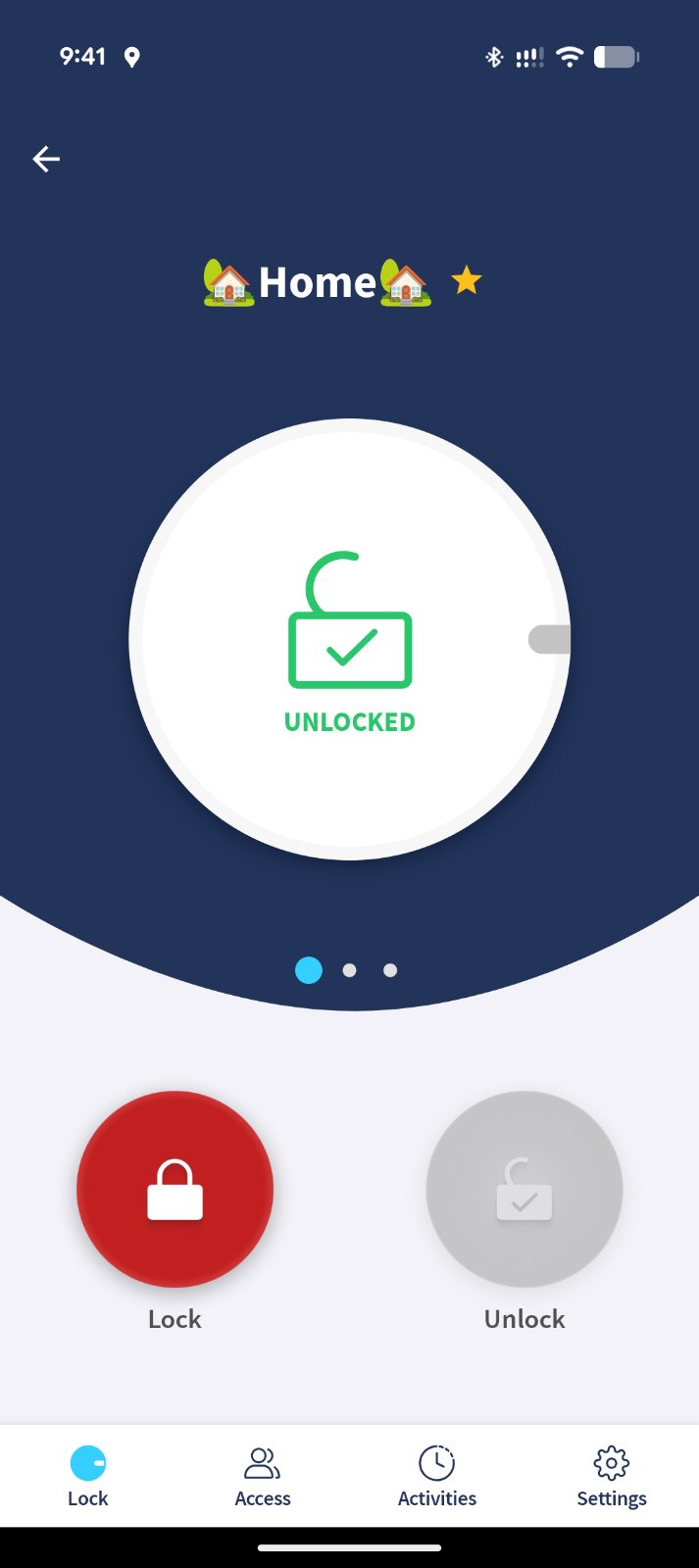
[Preview] New lock and unlock button design
Introduced a refreshed lock and unlock button design on the lock details screen to improve clarity and interaction.
[Preview] Haptic feedback
Added haptic feedback when using lock and unlock buttons to provide tactile confirmation of user actions.
Matter commissioning improvements
Improved stability and reliability of Matter commissioning.
Fixes
- Fixed an issue that could cause infinite loading when adding a device.
- Fixed incorrect battery level display for disconnected lock accessories.
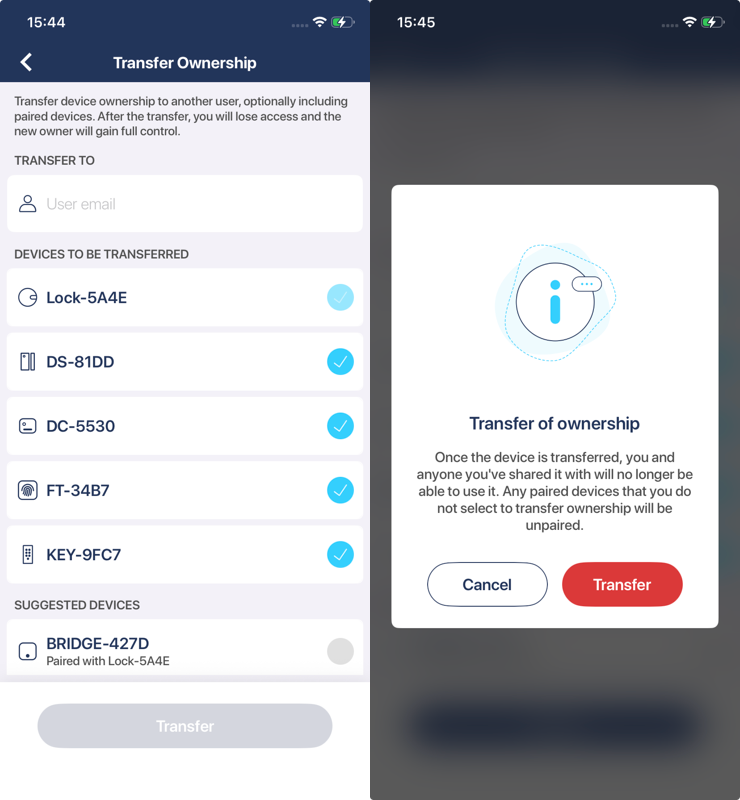
Owners can now transfer device ownership to another user.
With this release, device owners can transfer ownership of their devices directly in the Tedee app. This feature is designed for situations like selling, gifting, or changing responsibility, and streamlines the handover process.
To make the transfer, the owner simply enters the email address of the new user. The app will also display a list of devices paired with the one being transferred and suggest them for inclusion. The owner can decide which paired devices will be moved along with the main device; devices that are not selected will be automatically unpaired and will remain on the original account.
After completing the transfer, all previous shared access to the device is removed, and the new owner receives exclusive control and management rights. This ensures both device security and a clean handover, without the need for support assistance.
Fixed an issue that could delay sending requests under poor network conditions.
We have resolved an issue where requests sent over unstable or slow networks could be delayed longer than expected. Requests should now be processed faster even when the connection is weak.
Fixed an issue where the lock accessory’s last known battery level was not displayed.
Previously, the app did not always show the lock accessory’s last known battery level when the device was unavailable. Now, you can see this information reliably in the device details.
Fixed a rare issue that prevented users from starting Matter commissioning.
We fixed an issue that, in rare cases, could prevent the app from initiating Matter commissioning for compatible devices, improving reliability for smart home integration.
Fixed an issue where a cached battery level could block firmware updates.
The app could sometimes use a cached battery level, blocking firmware updates unnecessarily. We now ensure battery levels are always up to date when checking for firmware update eligibility.
Fixed an issue with handling timeouts during remote lock operations.
Timeouts during remote lock or unlock operations were not always handled properly. With this update, any timeout during these processes will be managed gracefully and the user will be informed accordingly.
Minor changes.
Minor changes.
Minor changes.
Improved handling of low battery condition at firmware update startup
Minor changes.
Fixed communication issues with Tedee GO.
Adjustments
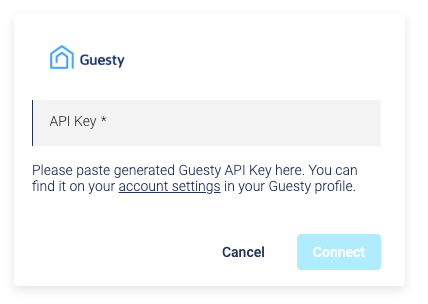
- Guesty integration now uses API key: The method of connecting to your Guesty account has changed. Instead of Client ID and Client Secret, you now need to provide an API key to establish the integration. You can find your API key in the Guesty platform settings. More details on how to configure the integration are available in the knowledge base.